
Why PocketPaw?
There are many AI assistants and agent frameworks available today. Here’s what makes PocketPaw different.
Self-Hosted, Not Cloud-Dependent
PocketPaw runs entirely on your machine. Your conversations, files, and data never leave your control. There’s no cloud service to subscribe to, no usage limits imposed by a platform, and no risk of a provider shutting down your access.
| Feature | PocketPaw | Cloud AI Assistants |
|---|---|---|
| Data location | Your machine | Provider’s servers |
| Privacy | Full control | Provider’s policy |
| Uptime | You control | Provider controls |
| Customization | Unlimited | Limited |
| Cost | API costs only | Subscription + API |
Multi-Channel by Default
Most AI tools work in a single interface. PocketPaw connects to 9+ messaging platforms simultaneously:
- Telegram — Full bot API with topic support
- Discord — Slash commands, DM, and mention support
- Slack — Socket Mode (no public URL needed)
- WhatsApp — Business API or Personal mode via QR scan
- Signal — Privacy-focused messaging
- Matrix — Decentralized, federated protocol
- Microsoft Teams — Enterprise collaboration
- Google Chat — Workspace integration
- Web Dashboard — Built-in real-time interface
You can run all of them at once. Send a message from Telegram, continue the conversation from Discord, and monitor everything from the web dashboard.
Three Agent Backends
PocketPaw doesn’t lock you into a single AI provider or execution model:
The recommended backend. Uses Anthropic’s official Claude Agent SDK with built-in tools (Bash, Read, Write, Edit). Best for coding tasks and complex reasoning.
Custom orchestrator that combines Anthropic’s SDK for reasoning with Open Interpreter for code execution. Good balance of capability and control.
Standalone execution engine that supports Ollama, OpenAI, and Anthropic models. Best for fully local setups with Ollama.
Extensible Tool System
PocketPaw ships with 30+ built-in tools and supports custom tool creation:
- Web Search — Tavily and Brave Search providers
- Image Generation — Google Gemini models
- Voice & TTS — OpenAI and ElevenLabs
- Speech to Text — OpenAI Whisper
- Browser Automation — Playwright with accessibility tree
- OCR — GPT-4o Vision with pytesseract fallback
- Research — Multi-step web research chains
- Delegation — Spawn sub-agents for parallel work
- Gmail, Calendar, Drive, Docs — Full Google Workspace
- Spotify — Search, playback control, playlists
- Reddit — Search, read threads, trending content
- MCP Servers — Connect any Model Context Protocol server
Tools are governed by a policy system with profiles (minimal, coding, full) and per-tool allow/deny lists.
Security Built In
PocketPaw takes security seriously with seven independent defense layers:
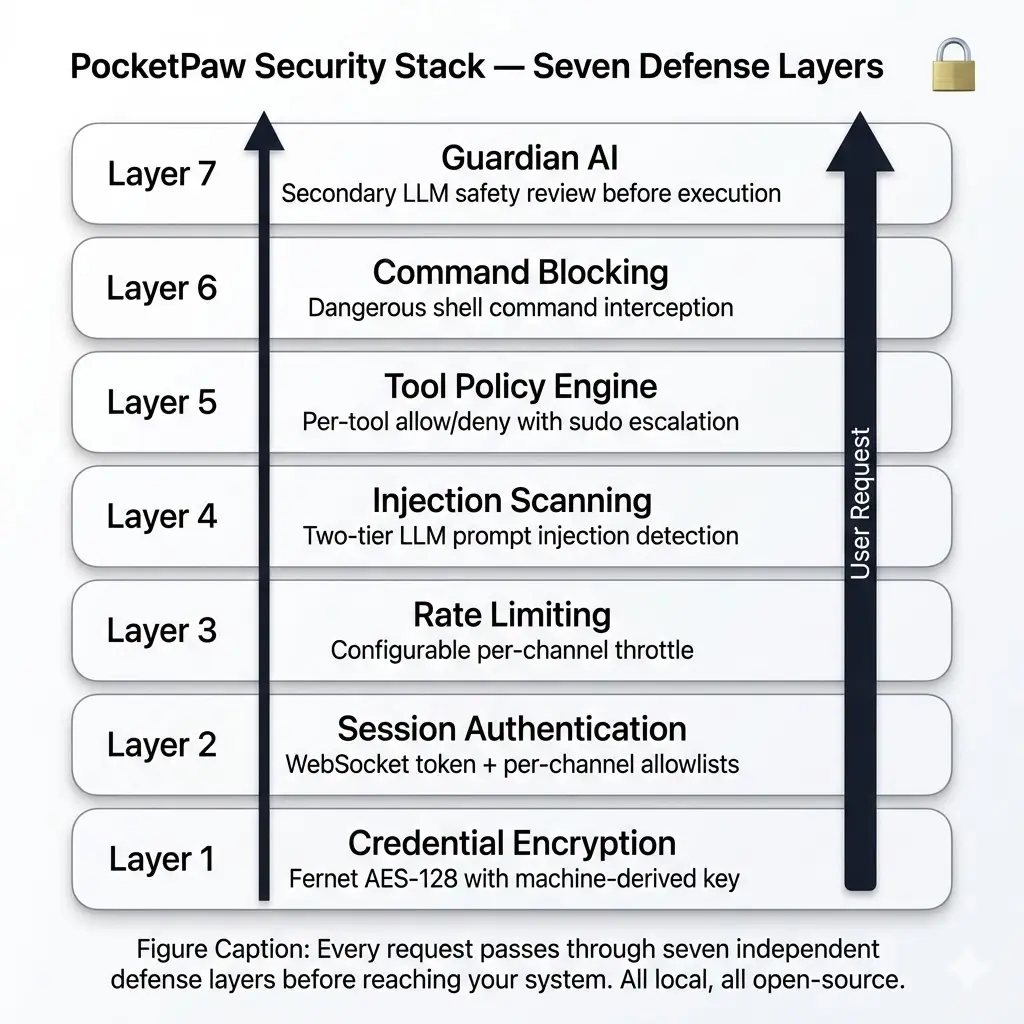
- Credential Encryption — Fernet AES-128 with machine-derived key
- Session Authentication — WebSocket token + per-channel allowlists
- Rate Limiting — Configurable per-channel throttle
- Injection Scanner — Two-tier detection (regex + LLM) for prompt injection
- Tool Policy Engine — Per-tool allow/deny with profiles
- Command Blocking — Dangerous shell command interception
- Guardian AI — Secondary LLM safety review before execution
Modular Installation
PocketPaw’s core is lightweight (~10 packages). Everything else is an optional extra:
# One-line installcurl -fsSL https://pocketpaw.xyz/install.sh | sh
# Or with pip — pick your extraspip install pocketpaw[telegram,discord,slack]pip install pocketpaw[all-tools]pip install pocketpaw[all]
You only install what you actually use. No bloated dependencies.
Open Source
PocketPaw is fully open source. You can inspect every line of code, contribute improvements, and fork it to build your own agent. No black boxes, no proprietary lock-in.